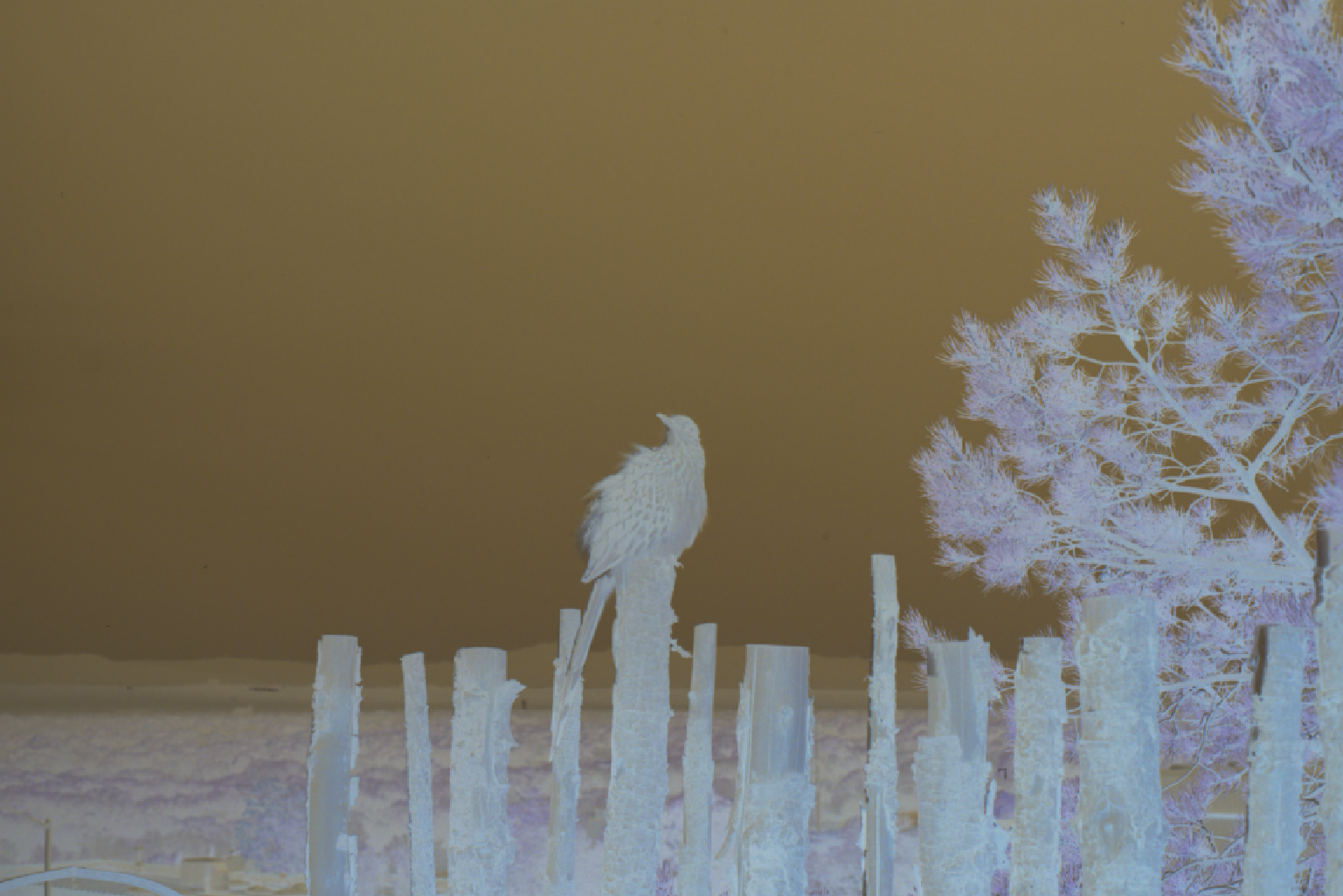
Transform RAW Film Negatives to Perfect Positives in Seconds.

LightBox makes film conversion simple. Just import your RAW files and let our smart algorithms handle the complex color inversions while preserving your film's character. Edit with confidence using intuitive tools designed for film photographers.

Start 7-Day Trial

How It Works

From scan to finished photo in three simple steps.

1

Import Your Scans

Drag and drop your RAW film scans into LightBox. Supports all major RAW formats from DSLRs, mirrorless cameras, and dedicated scanners.

2

LightBox Converts Automatically

Smart algorithms detect your film base, invert colors, and apply accurate white balance - all in seconds.

3

Edit, Export & Share

Fine-tune with spot healing and cropping tools, then export as JPEG or up to 16-bit TIFF for maximum quality.

Smart Tools That Make Film Conversion Easy

We've automated the complex parts so you can focus on what matters - your photos.

🎞️ Smart Color Processing

LightBox automatically handles the tricky parts of film conversion - detecting film base color, calculating the right white balance, and applying just the right amount of color correction. The result? Natural-looking photos that stay true to your film's character and how you remember the scene without heavy-handed editing.

Film negative before conversion - showing inverted colors and film carrier Before
Film positive after conversion - showing natural colors and proper exposure After

βœ‚οΈ Bulk Crop & Film Detection

Apply the same crop across your entire roll with just one click. LightBox's bulk crop feature lets you select the perfect crop on one image, then instantly apply it to all your photos. Plus, our automatic film detection finds your film area and crops out most of the carrier edges automatically - perfect for camera scans with dark carriers.

🩹 Easy Spot Healing

Remove dust spots and scratches with a simple click. LightBox automatically finds the spot boundaries and seamlessly fills them with matching texture from surrounding areas. Adjust the brush size to get exactly the coverage you need.

πŸ“ Automatic Processing

Set up a folder and LightBox will automatically import and convert new RAW files as you scan them. Perfect for when you're scanning multiple rolls and want to keep working without stopping to import files. Just scan, and LightBox handles the rest.

And There's More

Everything else you need for a smooth film workflow.

Non-Destructive Editing

Every change is fully reversible. Rotate, flip, crop, and heal knowing you can always undo or redo any step. LightBox tracks edits per image, so you never lose progress.

Export in Full Quality

Export as JPEG for quick sharing, 8-bit TIFF for lossless quality, or 16-bit TIFF to preserve the full dynamic range from your scanner. All processing is done at 16-bit precision internally.

All Major RAW Formats

Works with DSLRs, mirrorless cameras, and dedicated scanners.

ARW CR2 NEF DNG CRW ERF RAF KDC MOS MEF NRW ORF PEF RW2 SRW SRF X3F TIF TIFF

What Film Photographers Are Saying

Join photographers who've simplified their film workflow with LightBox.

★★★★★

"I'm very impressed by LightBox! Easily the best results I've seen from a 1-click solution."

Ben W.
★★★★★

"This gives great results - way better than Negative Lab Pro or other programs. Great job!"

JΓΆrg G.
★★★★★

"The inversion is solid for sure. The color science is awesome!"

Marcelo T.

Why Photographers Choose LightBox

There are a few good tools for converting film negatives. Here's what makes LightBox different.

No Lightroom Required

Unlike plugin-based tools that require an active Lightroom subscription to run, LightBox is a standalone macOS and Windows app. Open it, import your scans, and you're done, no host application needed.

Built for Camera Scanning

Works with RAW files from any camera: DSLR, mirrorless, or dedicated film scanner. If you're camera scanning with a macro lens and a light pad, it just works.

One Price, Forever

Pay once and it's yours. No monthly fees, no annual renewals, no wondering whether to resubscribe. All future updates included.

Comparing your options? See how LightBox stacks up β†’

Sound good? Let's get started!

Try LightBox free for 7 days, or purchase a lifetime license now

Give it a try!

7-Day Trial

Free for 7 days

Try all features risk-free. No credit card required.

  • βœ“ Full access to all features
  • βœ“ Unlimited conversions within trial period
  • βœ“ Activate on 1 device
  • βœ“ Option to convert trial license to a lifetime license
Start Free Trial

Frequently Asked Questions

Everything you need to know before getting started.

LightBox supports macOS 11 (Big Sur) and later, including macOS 14 (Sonoma) and macOS 15 (Sequoia). It runs natively on both Apple Silicon and Intel Macs.

LightBox supports Windows 10 and Windows 11 (64-bit).

LightBox works with any scanner or camera that produces RAW files. Whether you're using a flatbed scanner like an Epson V600, a dedicated film scanner like a Plustek, or camera scanning with a DSLR or mirrorless camera, LightBox supports all major RAW formats.

Yes! Your lifetime license supports up to 3 device activations. Simply download LightBox on a new Mac or Windows PC and enter the same license key.

After 7 days the trial simply expires - no charges, no credit card required. Your converted photos are yours to keep. If you'd like to continue using LightBox, you can purchase a lifetime license using your same email address and your trial license will automatically be upgraded.

Depends what you need. Negative Lab Pro is a Lightroom plugin - it's excellent, but it requires an active Adobe Creative Cloud subscription. LightBox is a standalone macOS and Windows app that does the same core job (invert film negatives, correct colors, batch process rolls) without needing Lightroom at all. If you want to skip the subscription and just have a dedicated tool that opens and closes independently, LightBox is worth trying.

No, LightBox is completely standalone. You don't need Lightroom, Photoshop, or any other application. Just download LightBox, open it, and you're ready to import and convert your film scans.

Start Converting Your Film Today

Try LightBox free for 7 days and see how easy film conversion can be. Stop wrestling with complex software and start creating.

Start 7-Day Trial